Requests
A request step sends one HTTP request. Click it in the flow to edit it on the right; the editor's tabs hold everything a request can do.
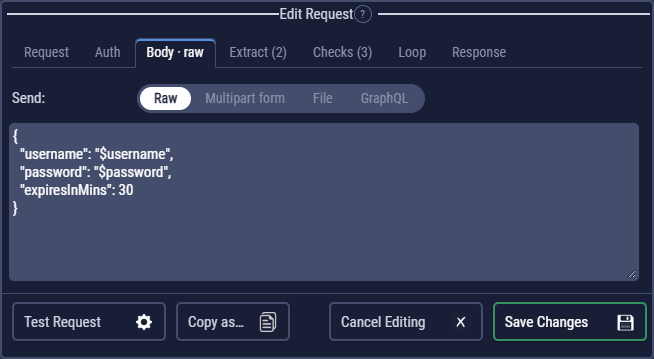
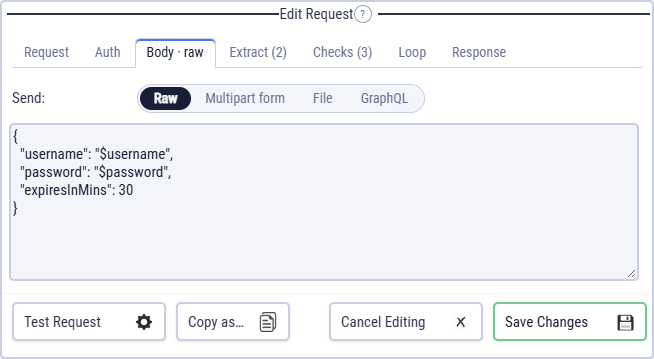
The tabs
| Tab | What it holds | More |
|---|---|---|
| Request | Name, method, URL, query parameters, headers, run conditional, follow redirects, HTTP version | below |
| Auth | Inherit the flow's auth, none, Basic, Bearer, API key or OAuth 2.0 | Auth |
| Body | Raw text (JSON, XML…), a multipart form, a file, or GraphQL | below |
| Extract | Capture values from the response into variables | Extraction |
| Checks | Rules the response must meet | Checks |
| Loop | Repeat until the expected status | Retries |
| Response | Read the response as an event stream (SSE); save the response body to a file | Server-sent events, Files |
A tab's label shows what is set: Checks (3), Body · raw, Loop · on.
Method, URL, parameters and headers
Methods: GET, POST, PUT, PATCH, DELETE, HEAD and OPTIONS. Write variables anywhere: $baseUrl/users/$userId. They are replaced when the request is sent.
Parameters are URL-encoded for you. A GET sends them in the query string. Other methods send them as a form body (application/x-www-form-urlencoded), unless the request has a body of its own (raw, multipart, file or GraphQL); then they go to the query string too.
Headers are name / value rows. A header you set wins over the one CLEM would add (for example Authorization over the Auth tab, or Content-Type).
Unless the request sets them, every request sends Accept: */* (as Postman and curl do) and User-Agent: CLEM/<version> (+https://clemflows.com). Some sites refuse requests from a generic library's User-Agent; give the request its own User-Agent header when an API asks for one with your contact details.
Paste a curl command into the URL field: CLEM fills in the method, URL, headers and body, and keeps the request's checks, extract rules and loop. Import from cURL.
Bodies
On the Body tab, Send picks the kind:
| Send | For |
|---|---|
| Raw | JSON, XML, plain text: whatever you type, with $vars filled in. Set the Content-Type header to match (for JSON, application/json). |
| Multipart form | Text and file fields, like an HTML upload form. Uploads. |
| File | The bytes of one file are the whole body (for example a PUT of an image). |
| GraphQL | A query and its variables. GraphQL. |
A WebSocket is a step of its own: Add WebSocket in the left menu's WebSocket section (WebSocket).
In a JSON body, a variable in quotes is text and without quotes a value: with $price = 12.5, "price": $price sends the number 12.5.
Test Request
Test Request sends the request once, with the current variables, environment and auth, and shows the result under the editor: the status, time, headers and body, what each extraction would capture, and which checks pass. Nothing else in the flow runs, and the flow's variables don't change.
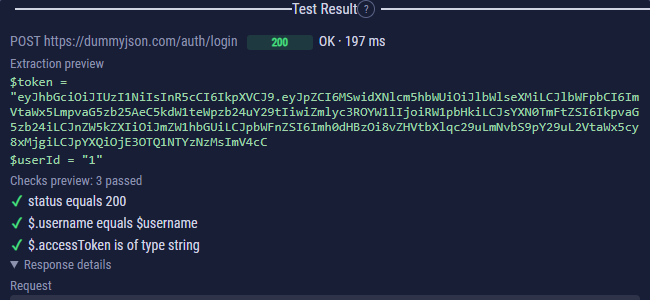
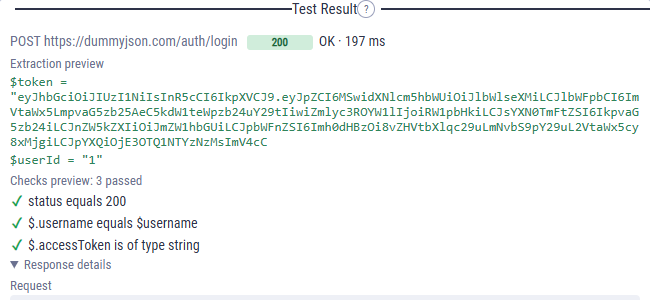
A value from an earlier step (a token from a login, say) is whatever the variable holds now: run the flow once, or set it in Variables.
Other options
- Run Conditional: a JavaScript expression; the step runs only when it is true (
$count > 2). Run conditionals. - Follow redirects (on by default): follow 3xx answers to their target. Off, the step gets the 3xx response itself, to check its
Locationheader. - HTTP version: the flow's setting, or HTTP/1.1, Auto or HTTP/2 for this request. HTTP/2.
- Timeout: per flow, in Flow Settings (60 seconds by default).
- Copy as… shows the request as a cURL, HTTPie, fetch, Python or PowerShell command. Copy as.
Working with steps
- Add: Add Request on the left adds one at the end. Hovering between two steps shows +, which inserts a Request, Code, Delay, Loop or cURL import right there.
- Copy and paste: the step's Copy button (or Ctrl+C on a selected step), then + → Paste where it should go, or Ctrl+V. It works across flows, so it is also how you move a step: paste it at its new place and delete the old one.
- The step's buttons: Edit (the pencil, on requests; a code block has a chevron instead, which folds it), Copy (not on delays: adding a new one is as quick), Delete; on requests ✓ opens the checks (and shows how many there are); the shield makes the step always run.
- Undo: Ctrl+Z undoes any change to the flow. Undo and redo.
Delays
Add Delay adds a pause of a number of milliseconds, for an API that needs a moment (an index to update, a job to start). In code, await sleep(500) does the same.