Copy as cURL, HTTPie, fetch, Python, PowerShell
Show any request as a command or as code: to run it elsewhere, paste it into a bug report or hand it to a developer.
From the request editor
Copy as… in the request editor opens the dialog. Pick the format:
| Format | Gives |
|---|---|
| cURL | A curl command |
| HTTPie | An http command (HTTPie 3 for --raw) |
| fetch | JavaScript fetch() |
| Python | The requests package |
| PowerShell | Invoke-RestMethod (PowerShell 7 for -Form) |
For commands, pick the shell too: bash / zsh (Linux, macOS, Git Bash), PowerShell (the default on Windows, which runs curl.exe) or cmd. Copy it with the icon next to it; the format and shell you used are remembered.
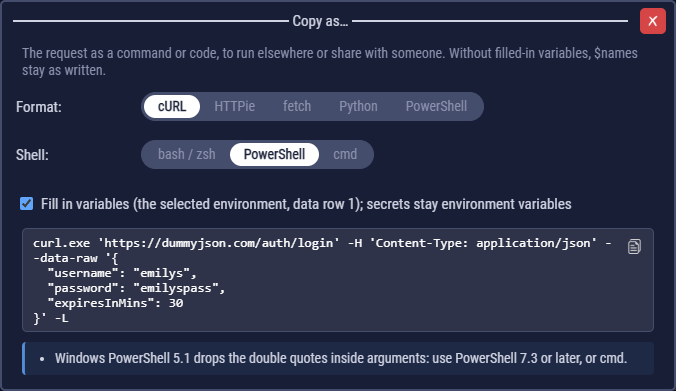
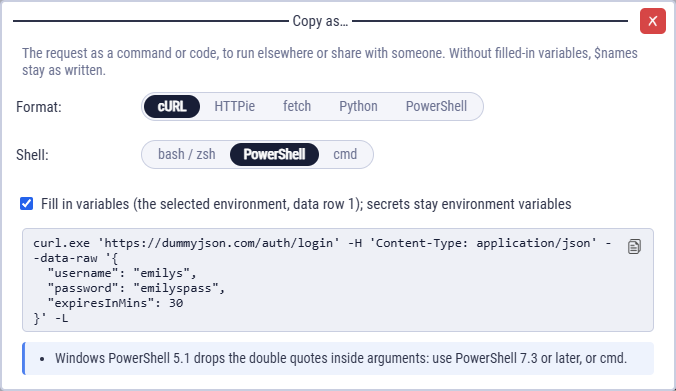
- Fill in variables on: $vars get the values a run would use (flow variables, the selected environment, the first data row). Off: $names stay as written, like a template.
- The URL is written as CLEM sends it: spaces and non-ASCII letters percent-encoded (
?q=a bbecomes?q=a%20b), so the command works as copied. - The request's auth is included (Basic as
-u, Bearer and API keys as they are sent), uploads point at the files in the project's files folder, and "Follow redirects", insecure TLS and the flow's timeout are carried over where the format has them. - The notes under the code list what to set, what was left out and what needs a newer version of the tool.
From the run log
The copy icon at the end of each request line in the log opens the same dialog with what that request actually sent in the run: the values it had after the steps before it (a token from a login step, an id created earlier, the cookies the run sent). It works for requests made from code too, and for requests that failed (a timeout, a refused connection). CLEM keeps the requests of the last 10 runs.
A request copied from the log contains the credentials the run sent, and they may have expired. The notes say so.
Secrets and tokens
Secret values are never copied: a secret becomes a reference to the environment variable CLEM_<name> (the one exported flows read), so set it before running the command. OAuth 2.0 tokens aren't copied either: the command reads ACCESS_TOKEN instead.
export CLEM_token=…   # bash; cmd: set CLEM_token=…
curl 'https://api.example.com/me' \
  -H 'Authorization: Bearer '"$CLEM_token" \
  -L
A PowerShell command with double quotes (a JSON body) starts with curl.exe --%, so Windows PowerShell 5.1 passes them on unchanged. When an argument can't follow --% (it has a line break, a |, or a literal %NAME% that PowerShell would expand), the command is written without it and a note says to use PowerShell 7.3 or later, or the cmd version.
A URL with a % that isn't followed by two hex digits (?discount=10%) is sent as written. Python's requests re-encodes such a URL as a whole, so its other escapes change; the Python snippet's note says so. Write a literal % as %25.