Variables and extraction
Variables carry values through a flow: an address set once, a token captured from a login, an id created by one request and used by the next. Their names start with $.
Variables
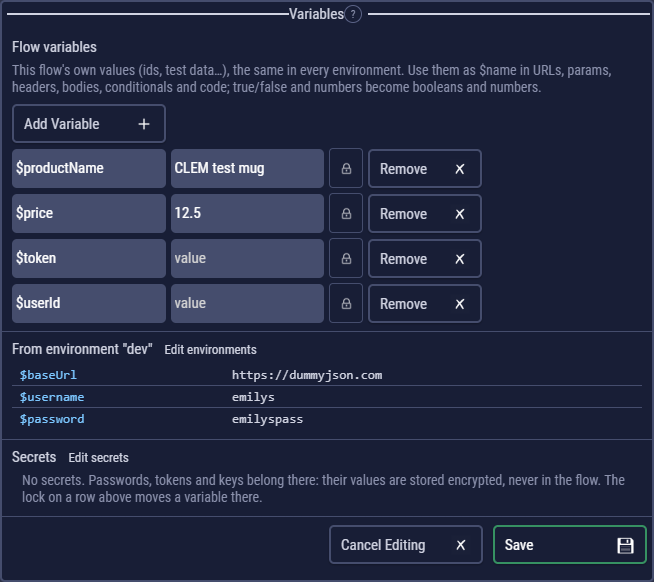
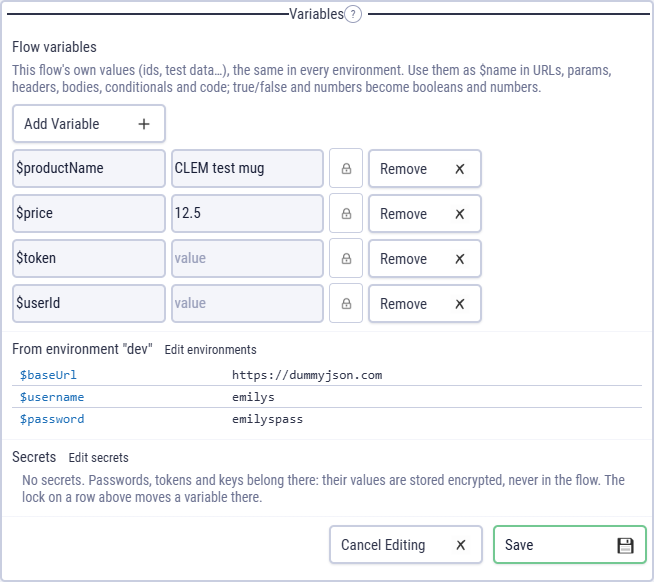
Open Variables on the left and Add Variable: a name such as $baseUrl and a value. Write the name anywhere a request has text (the URL, parameters, headers, the body, auth fields, file paths) and it is replaced with the value when the request is sent.
- Types: when the flow runs,
true/falsebecome booleans and numbers become numbers, except values like007or very long ids, which stay text. In code you can store anything: lists, objects. - Longest name first: $user and $userId never clash.
- Starting values: what you see in the panel is where each run starts. Values that steps set during a run (extraction, code) don't change the flow.
A variable with no value
A $name that no variable, environment, data column, secret or earlier code block gives a value is sent as written, and the step's log gets one warning that names it and where it is, for example $userId (URL), $token (header Authorization) have no value, so they were sent as written. The step is not failed for it: some APIs use $ words themselves (OData's $filter and $top, MongoDB's $set), and then the warning can be ignored. {{name}}, the Postman and Bruno way of writing a variable, is warned about the same way: in CLEM it is $name.
A URL that starts with a variable that has no value, such as $baseUrl/users, can't be sent at all: the step fails with The URL starts with $baseUrl, which has no value. Usually the environment isn't selected in the title bar.
Where a value comes from
A name can be set in several places. When the flow runs, the later ones in this list win:
- Flow variables: the Variables panel.
- The environment selected in the title bar. Environments.
- The data row of a data-driven run. Data-driven runs.
- Secrets of the project. Secrets.
- Command-line overrides of an exported flow (
--set $name=value).
The log lists the variables each run started with, grouped by where they came from. In code, colours tell them apart: flow variables are amber, environment variables blue, secrets pink and data columns teal.
Extracting values from responses
On a request's Extract tab, Extract variable captures the text between before and after into a variable, for the steps that follow.
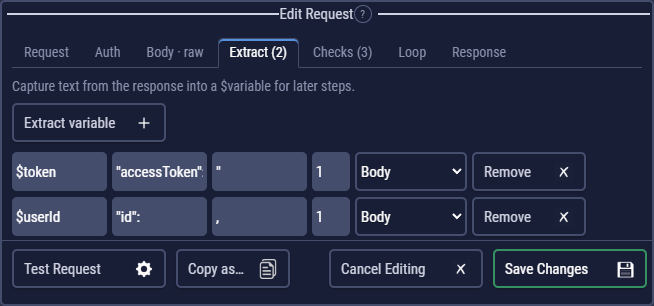
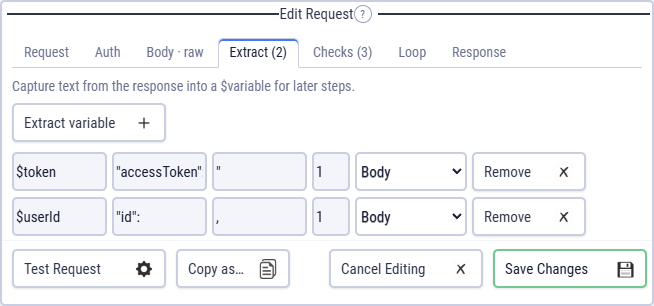
{"id":1,…,"accessToken":"eyJ…"}, these two rules capture the user id and the token.| Field | Meaning |
|---|---|
| Variable | The name to set, such as $token. |
| Before / After | The text right before and right after the value. Matching works across lines. |
| From | Body searches the response body, Headers the raw header block (for a Location or a custom header), Full Response takes the whole body and ignores before / after. |
| Ord | Which match to take: 1 = the first, 2 = the second… |
When nothing matches, the run logs a warning and the variable keeps its value. Test Request shows what each rule would capture.
For JSON, a code step is often clearer: $token = jsonPath("$.accessToken"); right after the request. Code blocks.
Variables in code
// Assign without let / const: the variable is shared with later steps.
$orderId = JSON.parse(response.body).id;

// let / const stay inside this block.
const total = jsonPath("$.total");

// Lists and objects work too.
$ids = jsonPath("$.items[*].id");
Run conditionals
Every request and code block has a Run Conditional: a JavaScript expression, true by default. The step runs only when it is truthy, and the log shows SKIPPED otherwise.
$loggedIn
$count > 2 && !$skip
$env === "staging"
$expectedStatus == 200        // in a data-driven run: only rows that expect success
Functions from Functions work here too, and so does flowRun.failed, which is how a cleanup step can run only after a failure. Always run.