WebSocket
Chats, live dashboards, notifications and trading feeds often talk over a WebSocket: one connection on which both sides send messages whenever they like. A CLEM WebSocket step opens one, sends your messages (waiting for the server's reply first when you ask it to), listens for what comes back, and checks it. It can also keep the connection open while REST steps run, so you can test that a REST call makes the server send an event.
Example flow
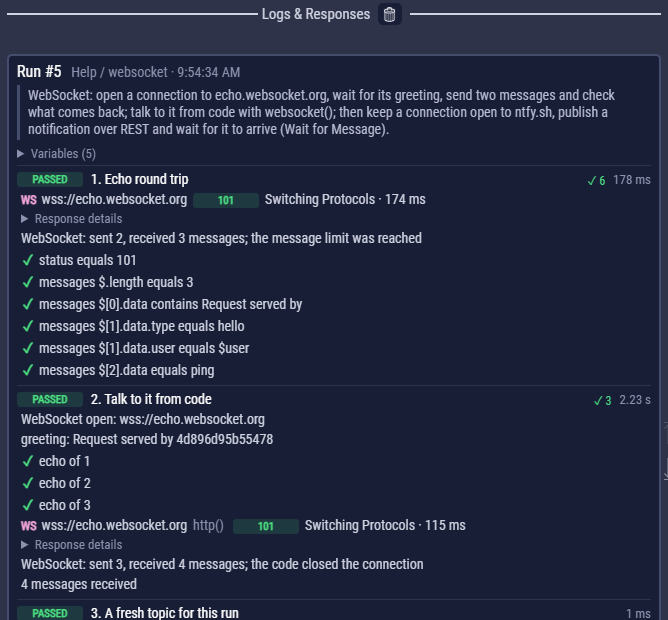
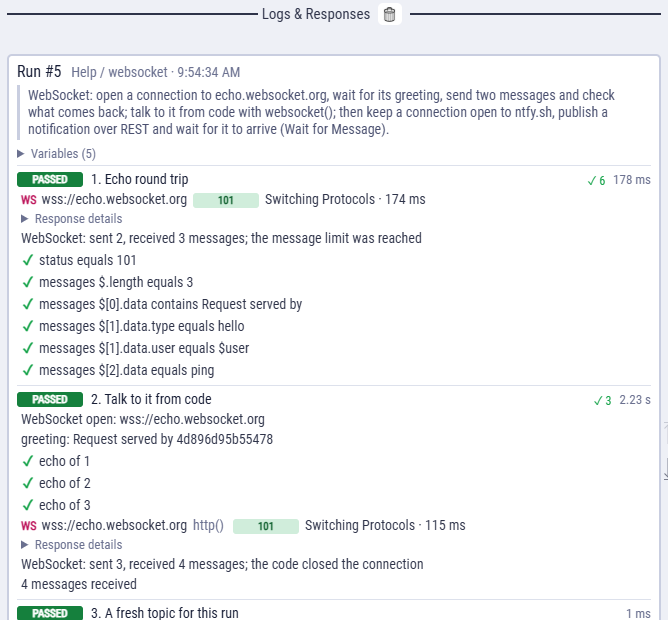
examples/Help/websocket.clem.json opens a connection to echo.websocket.org, waits for its greeting, sends two messages and checks the echoes, then talks to the same server from a code block. examples/Examples/24_websocket.clem.json also shows every way listening ends: a number of messages, a stop text and a time. Both end with a REST call and the event it causes, on ntfy.sh.
Open a WebSocket
- In the left menu, open the WebSocket section and press Add WebSocket (or press + between two steps and choose WebSocket).
- On the Connection tab, type the URL:
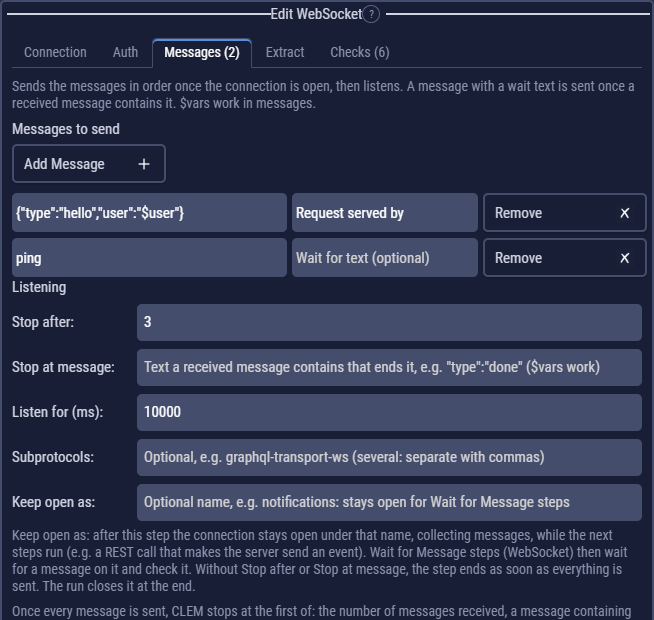
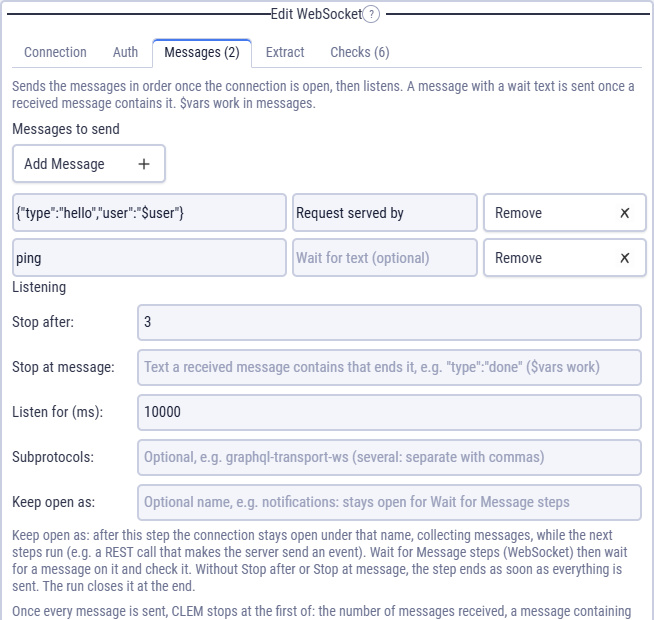
wss://(secure) orws://. Add the headers and parameters the server needs, and the auth on the Auth tab. - On the Messages tab, press Add Message for each message to send, in order. JSON is sent as you write it, and $variables work.
- Say when to stop listening (below), add checks on the messages, then press Add WebSocket. Test WebSocket tries it first. The step box shows a WS badge.
Headers, parameters, auth, cookies, the proxy and certificates go with the opening handshake, as for any request. A WebSocket always opens with GET over HTTP/1.1, so there is no method or HTTP version to choose.
The left menu shows one section of steps at a time: Flow Steps (requests, code, delays, loops, import) or WebSocket (Add WebSocket, Wait for Message). Opening one folds the other, and CLEM remembers which one you used last.
Wait for a reply before sending
Many servers expect a conversation: they greet you, you log in, they confirm, you subscribe. Give a message a Wait for text (the field beside the message), and CLEM holds it back until a message containing that text arrives (after the message before it was sent).
| Message | Wait for text | What happens |
|---|---|---|
{"type":"auth","token":"$token"} | welcome | sent after the server's greeting |
{"type":"subscribe","room":"$room"} | "type":"authenticated" | sent once the login is confirmed |
{"type":"say","text":"hi"} | (empty) | sent right after the one before |
A message that is never sent, because what it waits for doesn't arrive in time or the server closes the connection first, fails the request with the check every message was sent. The log says which text it was waiting for.
When CLEM stops listening
Once every message is sent, CLEM stops at the first of these:
| Setting | Stops when | Example |
|---|---|---|
| Stop after | this many messages have arrived (counting the ones before the last send). 0 = no limit. | 3 |
| Stop at message | a received message contains this text. $variables work. | "type":"done" |
| Listen for (ms) | this much time has passed since the connection opened. 0 = no limit. Default 10000. | 5000 |
| (always) | the server closes the connection. |
Running out of time is not an error: a feed may never stop on its own, so your checks decide whether what arrived is enough. The log says how it ended, for example WebSocket: sent 2, received 3 messages; the message limit was reached, or the code and reason when the server closed it.
While the step listens, its log line reads Listening (WebSocket): connected, sent 1, received 37 messages · 2.3 s. The messages themselves appear when the step ends.
A connection that ends without a close frame (code 1006: the network or the server process went away) is not a clean close: CLEM keeps the messages that arrived, warns the connection dropped without a close frame (code 1006), and lets the checks decide. A check on $.length makes a drop before enough messages fail the step.
Subprotocols lists the protocols to ask for (some servers need one, such as graphql-transport-ws; separate several with commas). The one the server picked is in response.stream.subprotocol.
The messages
Each message the server sent becomes { data, ms }: data is its text, read as JSON when it is a JSON object or list, and ms is when it arrived, in milliseconds after the connection opened. A binary message has binary: true, its size, and its bytes in base64.
Request served by 4d896d95b55478
{"type":"hello","user":"ann"}
ping
[
{ "data": "Request served by 4d896d95b55478", "ms": 0 },
{ "data": { "type": "hello", "user": "ann" }, "ms": 38 },
{ "data": "ping", "ms": 38 }
]The status of a request that opened its WebSocket is 101. Its body is the messages' text, one per line, so Body checks and extract rules work on it too. In the log, the request line reads WS, and Response details show Messages sent and Messages received.
Check the messages
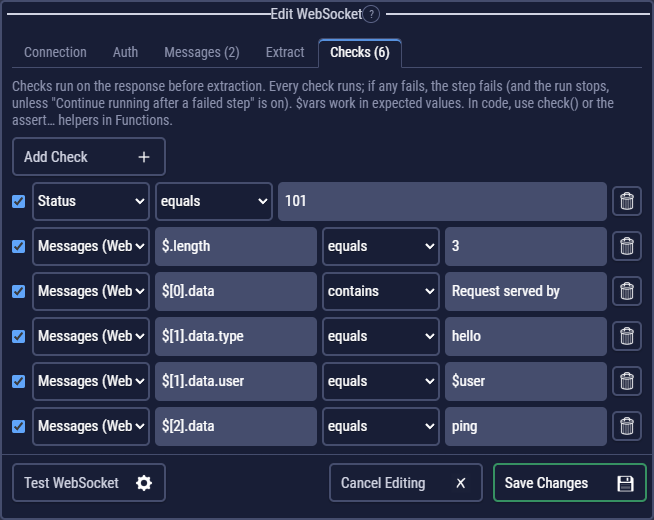
In Checks, choose Messages (WebSocket) and write a JSON path over the list of received messages. All the JSON path operators work.
| JSON path | Operator | Checks that |
|---|---|---|
$.length | ≥ 1 | at least one message arrived |
$[0].data | contains Request served by | the greeting |
$[1].data.type | equals hello | a field inside a JSON message |
$[-1].data.status | equals ok | the last message |
$[*].data.type | not contains error | no message is an error |
When the server refuses
A server can answer the handshake with a normal HTTP response instead of opening the WebSocket, for example 401 without a valid token. CLEM then shows that response (its status, headers and body) with no messages, and the request fails with the check the server switched to WebSocket. To test the refusal itself, add a Status check for the status you expect: it then decides instead.
Keep it open: a REST call, then the event
A common test: open a notifications socket, call the REST API, then check that the event arrives on the socket. Two pieces do it:
- In the WebSocket step's Messages tab, fill in Keep open as with a name, for example
notifications. After its own messages, the connection stays open under that name and collects what arrives while the next steps run. Without Stop after or Stop at message, the step ends as soon as everything is sent. - Add the REST steps that should make the server send something.
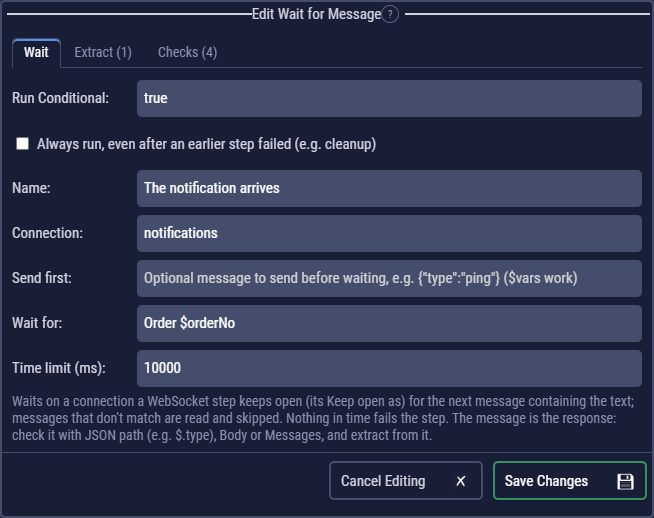
- Add a Wait for Message step (WebSocket in the left menu, or + between steps). Choose the Connection (the name from step 1) and what to Wait for: text the message contains, such as
"type":"order.created", or nothing for the next message. Give it a Time limit. - Add checks and extract rules on the message, as for a request. The step box shows a WS badge.
| Step | What it does |
|---|---|
| WS Subscribe to the topic | opens wss://ntfy.sh/$ntfyTopic/ws, waits for its "event":"open", keeps it open as notifications |
| POST Publish over REST | sends Order $orderNo was created to https://ntfy.sh/$ntfyTopic |
| WS The notification arrives | waits on notifications for a message containing Order $orderNo; checks $.event equals message and $.message; extracts its id into $eventId |
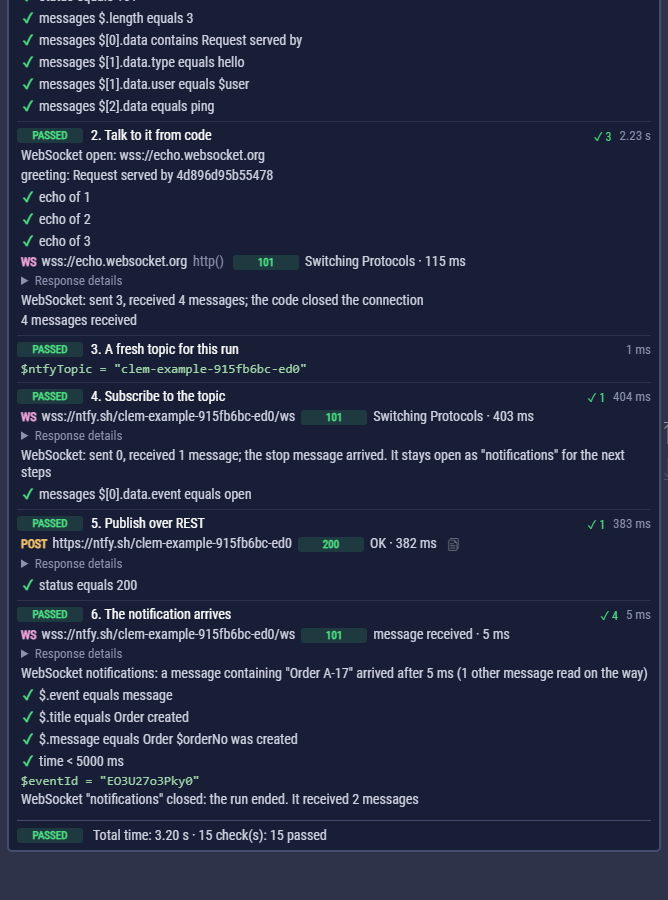
A Wait for Message step reads the connection's messages in order, from the first one (also the ones its WebSocket step received, so a greeting is found whether it came early or late). A message that doesn't contain the text is read on the way and skipped; the log says how many. It can also send a message first (Send first), for a question and its answer on a connection that stays open.
The message is the step's response: its Body is the message's text, so JSON path checks such as $.type work on it directly, as do Messages, Time (how long it waited) and JSON Schema.
If no matching message arrives within the time limit, or the server closes the connection first, the step fails, and the error shows the last message that did arrive. A Wait for Message step needs its connection open: the WebSocket step that keeps it must run first, in the same run (each data row has its own).
The run closes the connections it kept when it ends, and the log says how many messages each received. A step that keeps one under a name already in use replaces the old one.
WebSockets in code
A code block can hold a WebSocket step of its own: Add → WebSocket in the block's toolbar opens the WebSocket editor and adds await request("rq_…") on a new line, shown as a box that reads WS. The call opens the connection, sends its messages, listens and returns the response, with its checks and extract rules, so it can sit in a loop. Keep open as works there too.
A request step opens a connection, does its exchange and closes it. To keep a connection open while code talks to it, use websocket() in a code block:
const ws = await websocket($echoWs, { headers: { "X-Client": "clem" } });
const greeting = await ws.next();              // the next message
await ws.send({ type: "count", n: 1 });        // an object is sent as JSON
const echo = await ws.next((m) => m.data.type === "count", { timeoutMs: 5000 });
check("echo of 1", echo.data.n === 1, { actual: echo.data.n });
await ws.close();| Use | What it does |
|---|---|
await websocket(url, { headers, params, subprotocols }) | Opens the connection with the flow's cookies, proxy and certificates. Throws when the server refuses; the error's response has its status and body. |
await ws.send(data) | Sends text as it is, a Buffer as a binary message, anything else as JSON. |
await ws.next(match, { timeoutMs }) | The next message not read yet. With match, the next one that contains that text, matches a /regex/, or makes a function return true; the ones skipped on the way count as read. Throws after timeoutMs (default 10000) or when the connection closes. |
ws.messages, ws.sent | Every message received and sent so far. |
await ws.close() | Closes the connection. One the code leaves open is closed when the run ends. |
await websocket("notifications") | The connection a WebSocket step keeps open under that name (Keep open as), with the same send, next and messages. |
Each connection shows in the log as one request when it closes, with what it sent and received. http() does one exchange like a request step: await http({ url, ws: { enabled: true, messages: [{ data: "hi" }], maxMessages: 1 } }) returns a response with messages.
Good to know
- Stop ends a request that is listening at once.
- Exported flows and the command line run WebSocket requests too; the exported script then needs the
wspackage (it is in the generatedpackage.json). - There is no Copy as… for a WebSocket: a cURL, HTTPie, fetch, Python or PowerShell one-liner can't hold the conversation. To run it outside CLEM, export the flow.
- Importing a cURL command or a browser's HAR file with a
ws://orwss://URL makes a WebSocket step; from a HAR file, it also brings the text messages the browser sent. Bruno's WebSocket requests are not imported yet.