Code blocks and loops
A code block is a step of JavaScript, run by Node.js in order with the other steps. Use it to read a response, compute values, check what clicks can't, and send requests in loops.
Example flow
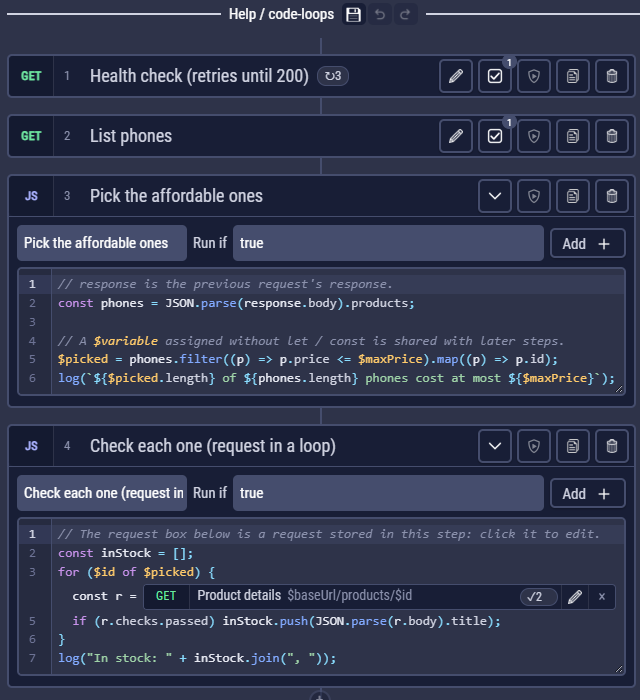
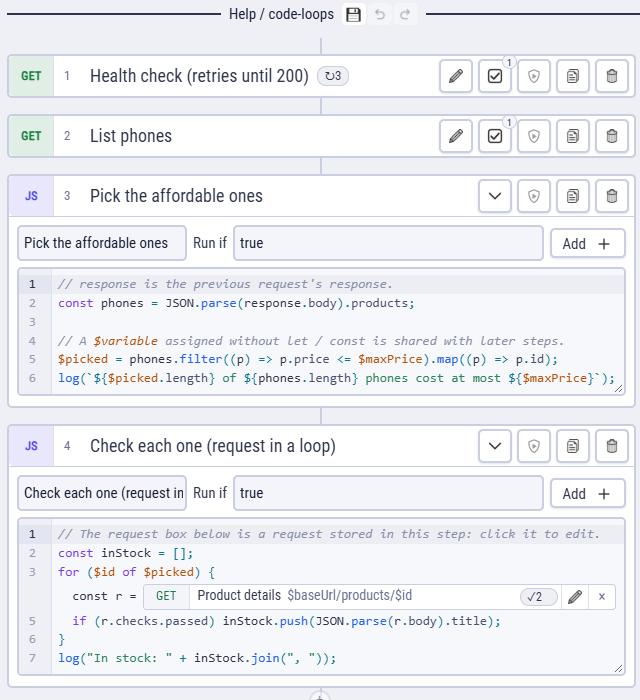
examples/Help/code-loops.clem.json: a request that retries until 200, a code step that picks products from a list, and a loop that sends a request for each of them.
Writing code
Add Code Block adds one; you type straight into the step. The code is asynchronous, so await works anywhere.
responseis the last response: of the request step before, or of the lastrequest()/http()call. It hasstatus,headers,body,timeMsand more. All fields.- Variables: a $name assigned without
let/constis shared with later steps;let/conststay in the block. - Errors: a thrown error fails the step; the log shows the message and the line.
- The editor highlights JavaScript, marks syntax errors as you type, and completes helpers, response fields, your variables and functions (Ctrl+Space).
// response is the previous request's response.
const phones = JSON.parse(response.body).products;

// Shared with later steps:
$picked = phones.filter((p) => p.price <= $maxPrice).map((p) => p.id);
log(`${$picked.length} of ${phones.length} phones cost at most ${$maxPrice}`);
The helpers
| Helper | Does |
|---|---|
log(...values) | Writes to the run log (so do console.log / warn / error). |
await http(urlOrRequest) | Sends a request from code: http({ method: "POST", url, headers, params, body }), with the flow's cookies. |
await request(id, vars?) | Sends a request stored in this step (the request boxes). |
check(label, pass, details?) | Records a check. Checks in code. |
jsonPath(path, source?), xpath(expr, source?) | Read JSON or XML / HTML (by default from response). |
extractVar(before, after, from, ordinal) | The same as an Extract rule. |
validateSchema(data, schema), isEqual(a, b), isJson(text) | Compare and validate. |
file(), readFile(), saveFile() | Files. Files in code. |
cookies | The cookie jar. Cookies in code. |
await sleep(ms) | Pauses. |
flowRun | How the run went so far. Always run. |
The full list with signatures: Code helpers. require() offers a short list of Node's built-in modules, none of them for files or the network (crypto, url, zlib…); for other libraries see Libraries.
Code runs with your permissions
A code block, the Functions and the libraries run as Node.js on your computer, under your user account. CLEM keeps their variables apart from its own code, but that is not a security wall: code in a flow can do whatever a script you run yourself can do, such as reading files or opening network connections, even though require() doesn't offer those modules. The same goes for exported scripts in CI, which run with the permissions of the CI job.
For an AI client, the AI access switch Run flows with code is off by default for this reason. Its allowed hosts limit the requests CLEM sends, not what code could do on its own.
Requests inside code
A code step can hold its own requests. In the step, Add (next to Run if) opens a small menu: Request adds one on a new line after the cursor, shown as a request box; WebSocket adds a WebSocket the same way (its box reads WS). Click the box to edit it on the right, with every request option (auth, body, checks, extract…); × removes it.
The code decides when it runs, so it can sit inside any loop or if, and it returns the response:
const inStock = [];
for ($id of $picked) {                  // $id is used in the request's URL
  const r = await request("rq_details");
  if (r.checks.passed) inStock.push(JSON.parse(r.body).title);
}
log("In stock: " + inStock.join(", "));
The request reads $variables when it is sent. A loop variable written as $id works directly; to pass a local value, give it for this call: await request("rq_details", { $id: product.id }).
Loops
Add Loop on the left (or + → Loop between steps) adds a code block with a for loop that already has a request inside it, open on the right to fill in. Change the loop as you like: for…of, while, break, try / catch.
let page = 0;
$all = [];
while (true) {
  const r = await request("rq_page", { $skip: page * 20 });
  const items = JSON.parse(r.body).products;
  $all.push(...items);
  if (items.length < 20) break;
  page++;
}
log("read " + $all.length + " products");
Retry until a status
For "wait until it's ready", no code is needed: on a request's Loop tab tick Repeat for … times, with the expected status and the wait between attempts. The step passes at the first attempt with that status and fails when none has it; network errors count as failed attempts.
for (let attempt = 1; attempt <= 10; attempt++) {
  const r = await request("rq_job");
  if (JSON.parse(r.body).state === "done") break;
  await sleep(1000);
}