Projects, search and undo
How CLEM keeps your flows, and the tools to find them again: projects, notes, tags, search across every flow, and undo for every change.
The workspace
Everything lives in one folder, the workspace. Projects are folders in it, and flows are .clem.json files in a project. A project also holds its environments.json, secrets.json (names only), and the files folder its requests upload from. Flows without a project are kept apart and share their own environments.
| System | Default workspace |
|---|---|
| Windows | %APPDATA%\clem-electron\workspace |
| macOS | ~/Library/Application Support/clem-electron/workspace |
| Linux | ~/.config/clem-electron/workspace |
Settings → Workspace moves it (for example into a git repository) and Open shows it. Because a project is a plain folder, you can share it, version it or copy it to another computer; secret values stay behind.
Saving and loading
- Create Project makes a new project folder.
- Save Flow (Ctrl+S) asks for a project and a name the first time; Ctrl+Shift+S saves under another name. Saving over an existing flow asks first. A • next to the title means unsaved changes.
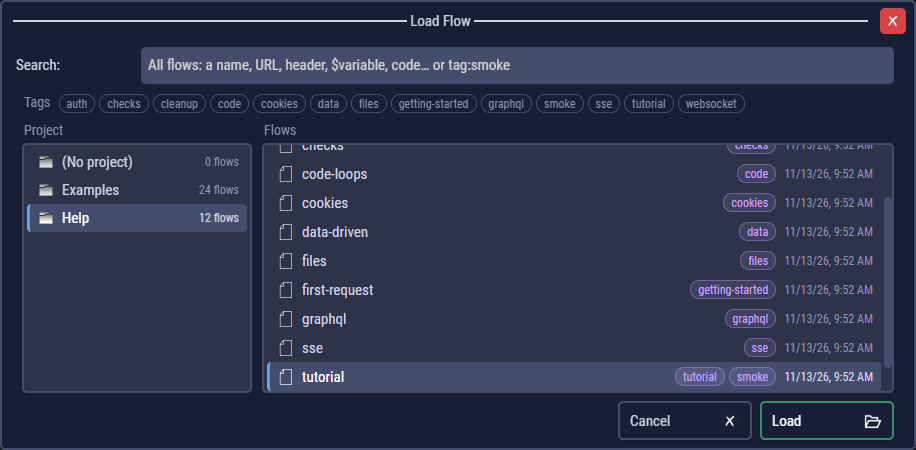
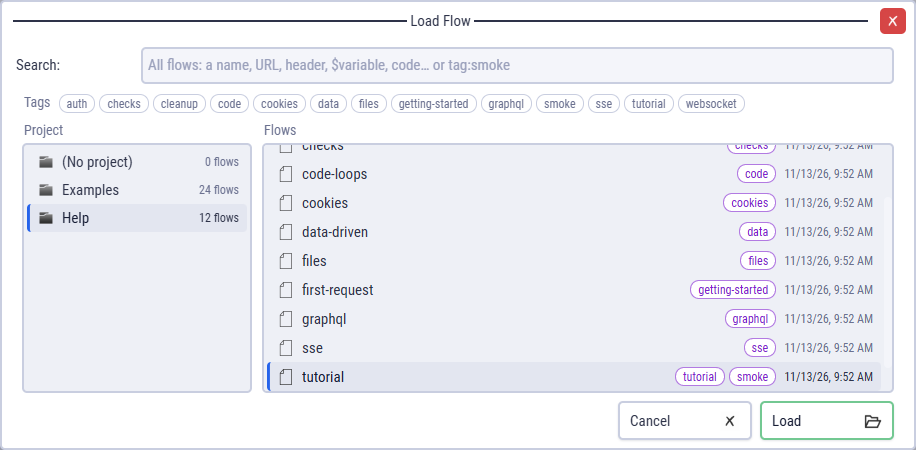
- Load Flow (Ctrl+O) lists the projects and their flows, with each flow's tags.
- Delete Flow deletes the open flow's file, after asking.
When a flow's file changes outside CLEM (by git, an editor or an AI client), CLEM reloads it; with unsaved changes it asks whether to reload, keep yours or save yours under another name.
Notes
Notes holds a description of the flow: what it tests, what it needs, who to ask. Notes are saved with the flow and shown at the top of every run log.
Tags
Tags are short labels on a flow, such as smoke, auth or slow. Add them in Flow Settings → Tags: type one and press Enter (or a comma); × removes one. Tags are lower case and use letters, digits, -, _ and .; the field suggests the tags your other flows use.
- Load Flow shows the tags of a project as toggles over its list: click one to list only the flows that have it (several: flows with all of them).
- Exported flows keep their tags, so
clem-suite.js --tag smokeruns only those. The suite runner.
Search
Ctrl+Shift+F (or the search field of Load Flow) searches every flow of the workspace: names, tags, notes, variables, Functions and every step's URLs, headers, bodies, code, checks and requests in code.
- Each result says where it matched (Step 4 · URL, Code, line 12…). Enter or a double-click opens the flow at that step.
tag:smokelists the flows with that tag;tag:smoke /orderssearches only them.
Undo and redo
Ctrl+Z undoes your last change to the flow and Ctrl+Y (or Ctrl+Shift+Z) redoes it. The ↶ / ↷ buttons next to the flow's name do the same; their tooltips say what they will undo or redo.
- Every change to the flow can be undone: adding, pasting and deleting steps, saving a request, typing in a code block or a step field, and saving Variables, Functions, libraries, Notes or Flow Settings. An import into the open flow is one change.
- While you type in a field or a code editor, Ctrl+Z belongs to that field. Click outside it (on the flow, for example) to undo flow changes.
- Not undone: the selected environment, project environments and secrets (they belong to the project), and app Settings. Loading or starting a flow starts a new history. Undoing back to what is saved clears the unsaved marker.