Server-sent events (SSE)
Some APIs answer with a stream of events instead of one body: live feeds, notifications, progress updates, AI models that stream their answer. CLEM reads such a stream as it arrives, stops when you say, and lets you check each event.
Example flow
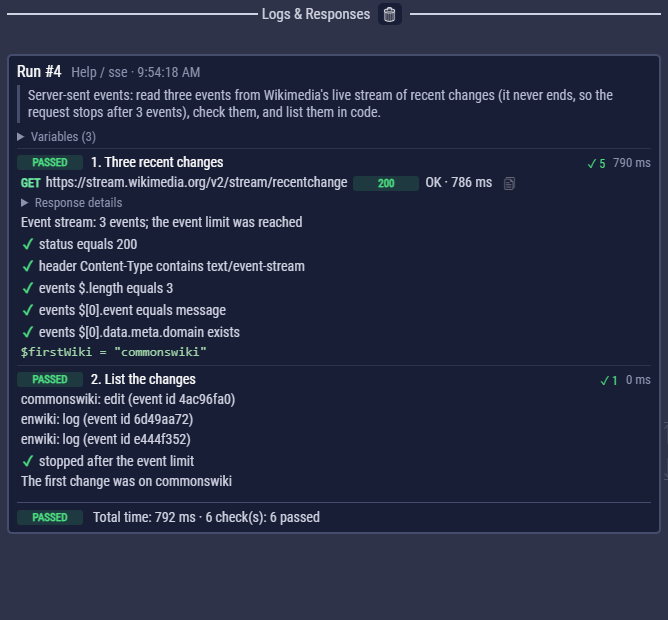
examples/Help/sse.clem.json reads three events from Wikimedia's live stream of recent changes (a stream that never ends), checks them, and lists them in a code block. examples/Examples/21_server_sent_events.clem.json shows every way a stream ends (a short stream from httpbingo.org that the server closes, then a count, a time and a stop event) and reads a stream from code.
Read a response as an event stream
- Open the request and go to the Response tab.
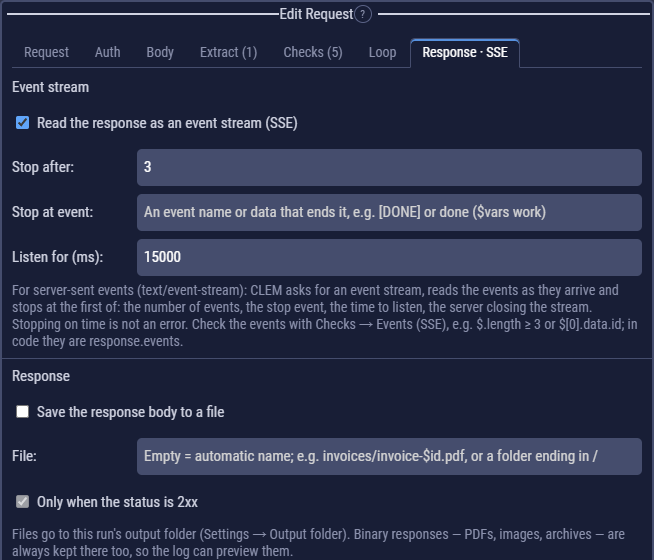
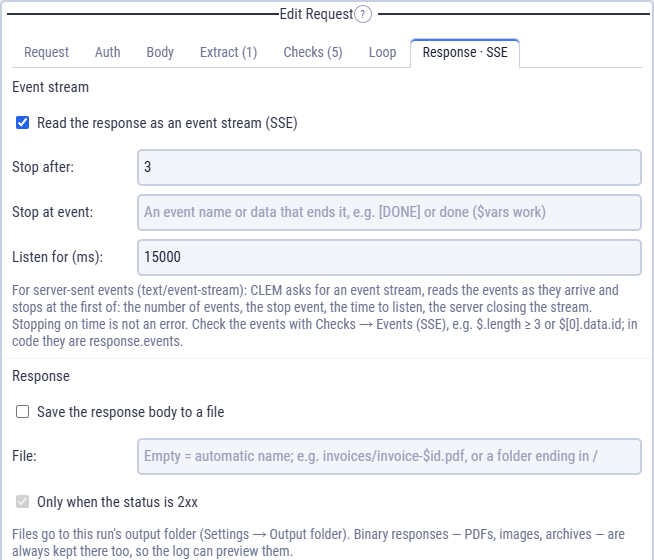
- Tick Read the response as an event stream (SSE). The tab now reads Response · SSE and the step box shows an SSE chip.
- Say when to stop listening: Stop after a number of events, Stop at event (an event name or data, such as
[DONE]ordone), and Listen for (ms). - Add checks on the events (below), then run the flow or press Test Request.
When CLEM stops listening
CLEM asks the server for text/event-stream (unless the request sets its own Accept header) and reads the events as they arrive. It stops at the first of these:
| Setting | Stops when | Example |
|---|---|---|
| Stop after | this many events have arrived. 0 = no limit. | 3 |
| Stop at event | an event's name, or its data, is exactly this text. $variables work. | [DONE] (AI APIs), done |
| Listen for (ms) | this much time has passed since the response started. 0 = no limit. Default 10000. | 5000 |
| (always) | the server closes the stream. |
Stopping is never an error, not even on time: many streams never end, so your checks decide whether what arrived is enough. The log says how it ended, for example Event stream: 3 events; the event limit was reached.
While the step listens, its log line reads Listening (event stream): 12 events so far · 3.4 s, so a quiet stream and a busy one look different before the step ends. The events themselves appear when it ends.
If the connection drops in the middle of the stream (the network, a proxy or the server process goes away), CLEM keeps the events that had arrived, warns Event stream: 5 events; the connection dropped (ECONNRESET: aborted), and lets the checks decide. Add a check such as $.length ≥ the number you need to make a drop fail the step.
The flow's timeout (Flow Settings) only covers the wait for the server to start answering. After that, Listen for decides, so a stream with long pauses between events is not cut off.
The events
Each event becomes { event, data, id, retry }:
eventis the event's name,messagewhen the server gives none;datais the event's data; when it is a JSON object or list, it is read as JSON, so you can reach inside it;idandretryare there when the server sends them.
id: 1
event: tick
data: {"n": 1, "text": "tick 1"}

event: done
data: [DONE]
[
  { "event": "tick", "data": { "n": 1, "text": "tick 1" }, "id": "1" },
  { "event": "done", "data": "[DONE]", "id": "1" }
]
The response body keeps the raw text as it arrived, so Body checks and extract rules work on it too. In the log, Response details show an Events section above the body.
Check the events
In Checks, choose Events (SSE) and write a JSON path over the list of events. All the JSON path operators work.
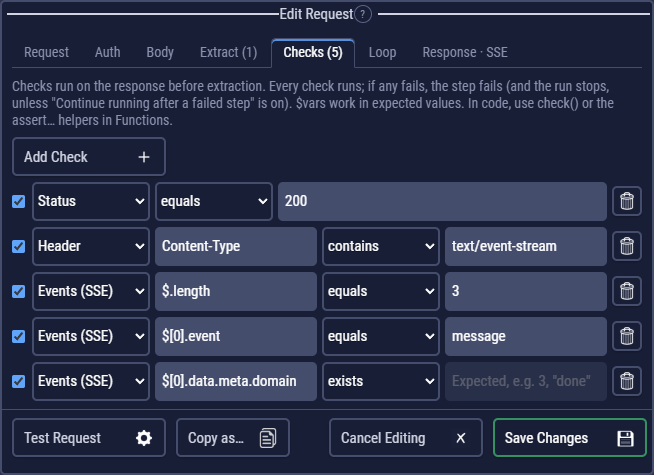
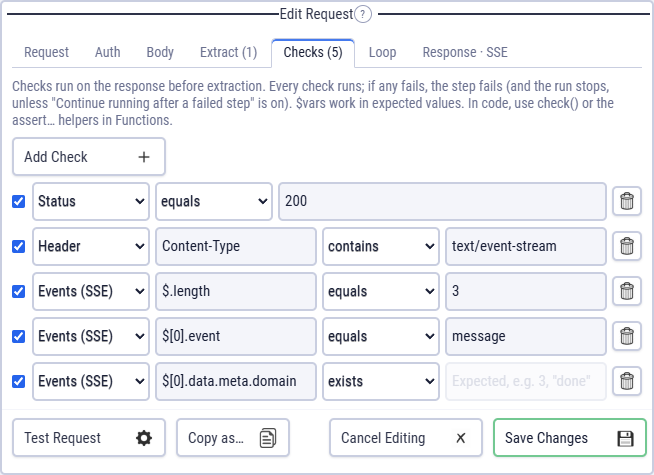
message, with a meta.domain in its data.| JSON path | Operator | Checks that |
|---|---|---|
$.length | ≥ 3 | at least three events arrived |
$[0].event | equals message | the first event's name |
$[0].data.id | equals 42 | a field inside the first event's JSON data |
$[-1].data | equals [DONE] | the last event |
$[*].event | contains error, or not contains | whether any event has this name |
Event streams in code
After the request, a code block finds the events in response.events and how the stream ended in response.stream.endedBy (count, until, time or closed). http() reads a stream when you pass sse:
const r = await http({
  url: $echoSse,
  sse: { enabled: true, maxEvents: 4, waitMs: 10000 },
});
for (const e of r.events) log(e.event, e.data);
log(jsonPath("$[0].event", r.events));
Resume a stream
A request step reads one connection: when the server closes the stream, CLEM stops listening. Unlike a browser's EventSource, it does not reconnect on its own, so a stream that drops early shows up in your checks instead of being hidden. To test that a server resumes a stream where it left off, use two requests:
- The first request reads part of the stream, for example Stop after
3. - A code block after it saves the id of the last event that arrived:
const last = response.events[response.events.length - 1]; $lastEventId = last && last.id ? last.id : ""; - A second request to the same URL, with SSE on, sends the header
Last-Event-IDwith the value $lastEventId. - Check on the second request's events that the stream continues after that id, for example
$[0].idnot equals $lastEventId, or a counter in the data such as$[0].data.nequals4.
The server decides what Last-Event-ID means: some resend from the next event, some ignore the header. Check the API's documentation for what it promises, and test that.
Good to know
- A response that is not an event stream (an error page, plain JSON) is read whole, with a warning in the log, and has no events. Add a status check to catch it.
- Stop ends a request that is listening at once.
- Auth, cookies, the proxy, certificates and HTTP/2 work as for any request; so do exported flows and the command line.
- Copy as… adds
-Nto cURL and--streamto HTTPie, which print the events as they arrive until the server closes the stream. - Importing a request with
Accept: text/event-stream(cURL, Postman, Bruno, HAR), or an OpenAPI operation that answerstext/event-stream, turns it on. Set a limit before running an endless stream.
CLEM reads one connection: it does not reconnect when the server closes the stream, the way a browser's EventSource does. To test resuming, see Resume a stream.