Export and CI
Export a flow, or a whole project, as standalone Node.js scripts. They run anywhere Node runs (a build server, a container, a colleague's laptop) without CLEM, print the same log, and write the reports CI systems read.
Export a flow
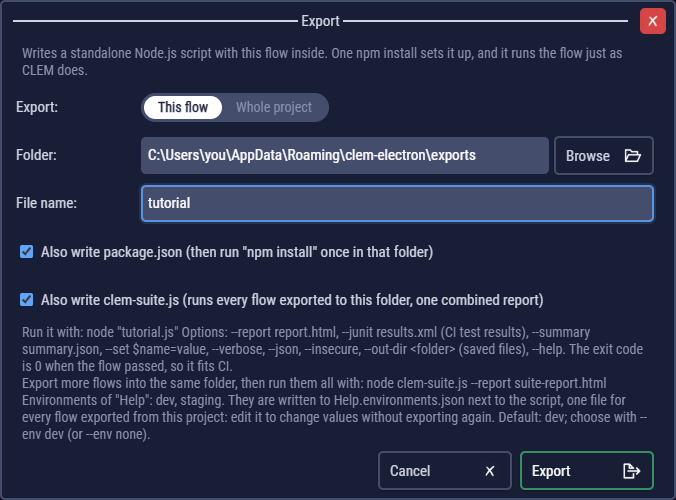
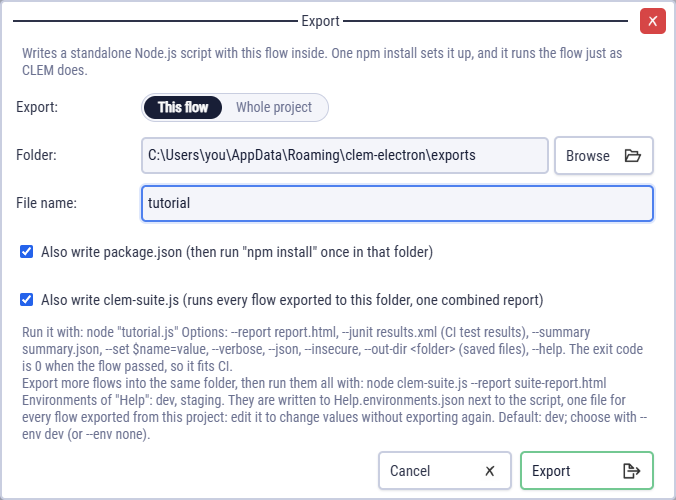
Export → This flow, pick a folder. CLEM writes:
<flow>.js, the script, with the flow inside it;package.json(Also write package.json), for its dependencies;<project>.environments.json, the project's environments, and<project>.secrets.env.example, the secrets to fill in;<flow>.files/, the files it uploads and its data file;clem-suite.jsif you tick Also write clem-suite.js.
Then, in that folder:
npm install                 # once
node my-flow.js             # prints the log; exit code 0 = passed
node my-flow.js --report report.html
node my-flow.js --env staging --set $baseUrl=https://qa.example.com
node my-flow.js --help
Exit codes: 0 when the flow passed, 1 when it failed or was stopped, 2 on bad usage or a missing secret. Every option: Command-line options.
So that a flow that never ends can't hang the CI job, give it a Run time limit in Flow Settings, or on the command line: node my-flow.js --run-timeout 300000 (5 minutes; clem-suite.js passes it to every flow). Past the limit the flow fails with exit code 1. When its code never gives control back, the script is ended 5 seconds later: exit code 1 on Windows, 137 on Linux and macOS, with the reason on stderr and no report.
The script runs with the permissions of the CI job, like any Node.js script: export only flows whose code you trust (Code runs with your permissions).
Export a project
Export → Whole project writes a script for every saved flow of the project into one folder, with clem-suite.js, one package.json (npm start runs every flow) and the project's environments, secrets file and files written once. The export takes the saved files, so save the open flow first.
Remove other flow scripts from this folder deletes flow scripts left in the folder that are no longer in the project (a renamed flow, for instance), which the suite would otherwise run too.
The suite runner
clem-suite.js runs every exported flow in its folder, one after another, and writes one report with an expandable passed / failed line per flow. It exits with 0 only when every flow passed.
node clem-suite.js --report suite-report.html
node clem-suite.js login.js checkout.js --bail --title "Nightly"
node clem-suite.js --tag smoke                  # only flows tagged smoke
node clem-suite.js --exclude-tag slow
node clem-suite.js --env staging --junit results.xml
node clem-suite.js --parallel 10 --report suite-report.html   # up to 10 flows at a time
Tags set in Flow Settings are exported with each flow, so the suite can pick some.
--parallel 10 runs up to 10 flows at a time (at most 32), each in its own process, so a large suite finishes much sooner. Without --parallel, the flows run one after another (sequentially); --parallel 1 does the same. Each flow's lines print together when it ends, and the report still lists the flows in name order (its header says it ran in parallel). With --bail, no new flow starts after a failure and the running ones finish.
Only run flows in parallel when they don't depend on each other: a flow that needs data another flow creates, or flows that change the same records on the server (the same test user, the same names), can fail at random. Give each flow its own test data, or keep the default, one flow at a time.
Results for CI
--junit results.xmlwrites JUnit XML, which Jenkins, GitHub Actions, GitLab and Azure DevOps show as test results: each flow is a test suite and each step a test case, with its failed checks and error as the failure. Steps that never ran (after a failure, or when the run was stopped) are skipped test cases, so every run lists every step.--summary summary.jsonwrites a short JSON file: the status, step and check counts, and the failures.--report report.htmlwrites the HTML report.
All three work for single flows and for clem-suite.js.
Example: GitHub Actions
name: API tests
on: [push]
jobs:
  test:
    runs-on: ubuntu-latest
    steps:
      - uses: actions/checkout@v4
      - uses: actions/setup-node@v4
        with:
          node-version: 20
      - run: npm install
        working-directory: api-tests
      - run: node clem-suite.js --env staging --junit results.xml --report report.html
        working-directory: api-tests
        env:
          CLEM_password: ${{ secrets.TEST_PASSWORD }}
      - uses: actions/upload-artifact@v4
        if: always()
        with:
          name: api-test-report
          path: api-tests/report.html
Here api-tests is the folder of a project export, committed to the repository. Secrets come from the CI's own secret store as CLEM_<name> variables.
Network in CI
Exported scripts don't read the app's proxy and certificate settings. They follow HTTPS_PROXY / NO_PROXY, or take --proxy, --system-ca, --ca, --cert / --key and --pfx. Proxy, certificates and HTTP/2.
Exported scripts and your license
An exported script contains CLEM's run-time engine, so running it, on your computer or in CI, is use of CLEM under its license agreement. Each script starts with a short license notice; leave it in place.
- Individuals, education, non-commercial open source and organisations under the limit (fewer than 25 employees and no more than USD 1 million revenue) run them free, like the app.
- An organisation above the limit needs Commercial Licenses for the people who create and maintain its flows, and keeps at least one license for as long as it runs the scripts, even when nobody changes the flows any more. Unattended runs (CI servers) need no extra users.
- The flows and data in a script are yours. Others who run your scripts for their own purposes need their own license; contractors and CI services running them for you don't.