Secrets
Passwords, tokens and API keys go into secrets. Their values are encrypted on your computer and never written to flows, projects, logs, reports or exports, so a project can be shared, through git for example, without them.
Example flow
examples/Examples/19_secrets.clem.json sends the project's secret $demoKey in a header, in the query and through Auth → API key. httpbin.org echoes it back, the checks compare the echo with the real value, and the log shows ••••••. Adding the Examples project stores a demo value for it, encrypted like any other; change it in Secrets.
Adding a secret
Click Secrets (the lock) in the title bar.
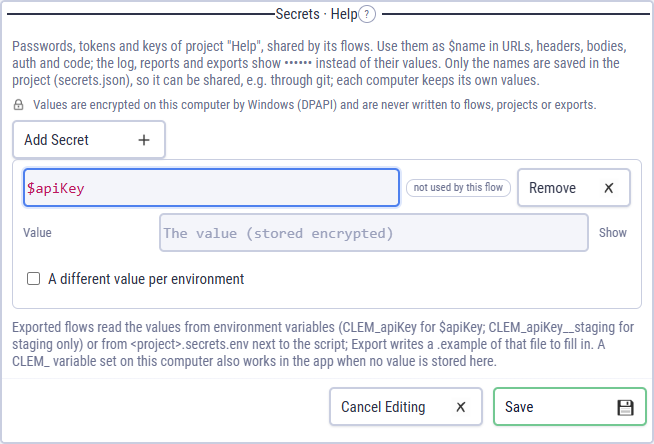
Add Secret: a name such as $apiKey and its value. Tick A different value per environment to give dev and prod their own.
Save, and use $apiKey anywhere a variable works: URLs, headers, bodies, Auth fields, conditionals and code.
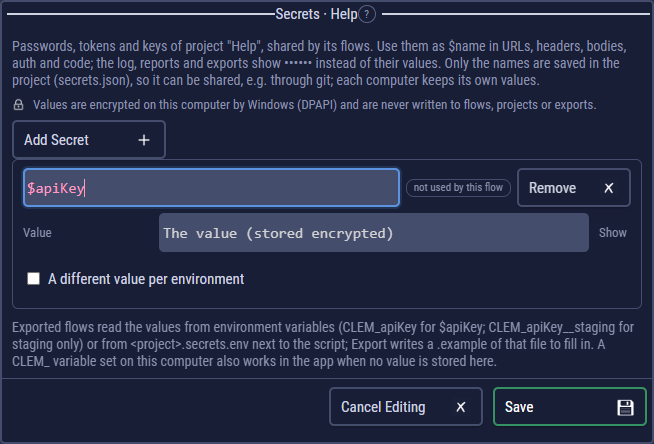
To turn an existing variable into a secret, click the lock on its row in Variables or Environments.
How they are kept
- Secrets belong to the project, like environments. Only the names are saved in it (
secrets.json). - The values are encrypted on this computer by the operating system: Windows DPAPI, the macOS Keychain, the Linux keyring. Someone who copies the project gets the names, not the values.
- Logs and reports show •••••• wherever a value would appear, also inside URLs and response bodies.
- A secret wins over a flow or environment variable with the same name; the Secrets panel flags that.
The lock's dot
Green: every secret this flow uses has a value for the selected environment. Red: something needs attention, such as a missing value, the same name also being a variable, or a computer that can't encrypt values. A run with a missing value doesn't start; the message says which.
In exported flows and CI
Exports never contain the values. Each secret the flow uses is read, in this order, from:
- an environment variable
CLEM_<name>:CLEM_apiKeyfor $apiKey, orCLEM_apiKey__stagingfor staging only. This is how CI secrets reach a run; <project>.secrets.envnext to the script, withKEY=valuelines (or another file with--secrets).
Export writes <project>.secrets.env.example with the names to fill in. Tick Include secret values to write the filled-in file instead: plain text, for your own machine (a .gitignore line is added). --set $name=value works too. A run with a missing value stops with exit code 2 before it starts. A key in a --secrets file that the run doesn't use (a name without CLEM_, or a variable that isn't one of the flow's secrets) gets a warning that says why; the run goes on.
- run: node checkout.js --env staging --junit results.xml
  env:
    CLEM_apiKey: ${{ secrets.API_KEY }}
    CLEM_password: ${{ secrets.TEST_PASSWORD }}
AI clients (MCP) never see secret values either: runs use them, and results show ••••••.