AI access (MCP)
AI clients that support MCP (Claude Code, Claude Desktop, GitHub Copilot in VS Code, Cursor, OpenAI Codex, Gemini CLI…) can work with your flows through CLEM's MCP server: find and read flows, build and edit them, add checks, run them, read the results, import collections and export for CI.
Connecting a client
Nothing happens unless you add CLEM to a client. Open Settings → AI access (MCP), pick your client under Connect, and copy the command or configuration shown for your computer.
claude mcp add clem -e ELECTRON_RUN_AS_NODE=1 -- "<CLEM folder>\CLEM.exe" "<CLEM folder>\resources\app.asar\src\mcp\server.js"The server runs only while a client has it started; the app doesn't need to be open. ChatGPT can't use CLEM: it only connects to MCP servers on the internet, and CLEM's runs on your computer. OpenAI's Codex can.
What to ask
- "Build a flow in the Shop project that logs in, creates an order and checks the total."
- "Run the checkout flow against staging and tell me why it fails."
- "Import this OpenAPI file and add a check of the response schema to every request."
- "Which flows call
/v1/orders? Move them to/v2/orders." - "Export the Shop project for GitHub Actions."
The AI reads this guide too (as clem://docs/help), so it knows how each feature works.
What AI clients may do
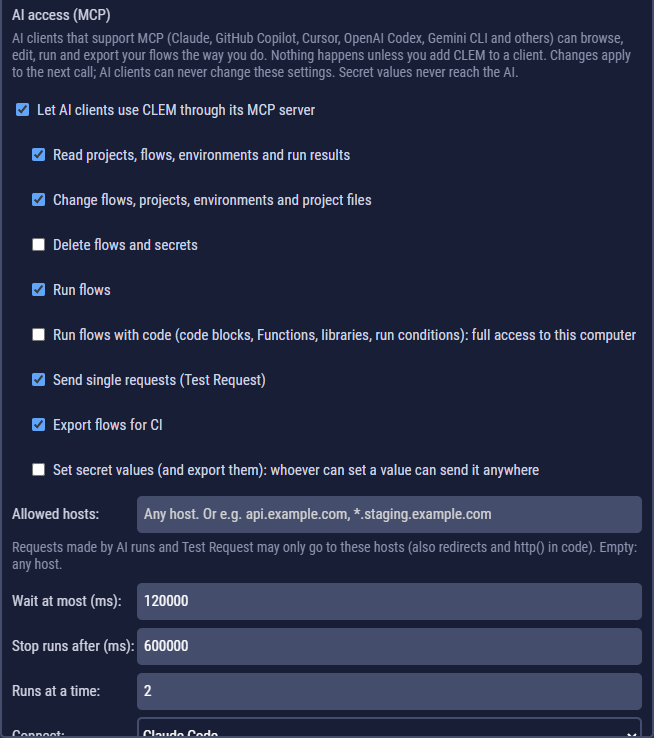
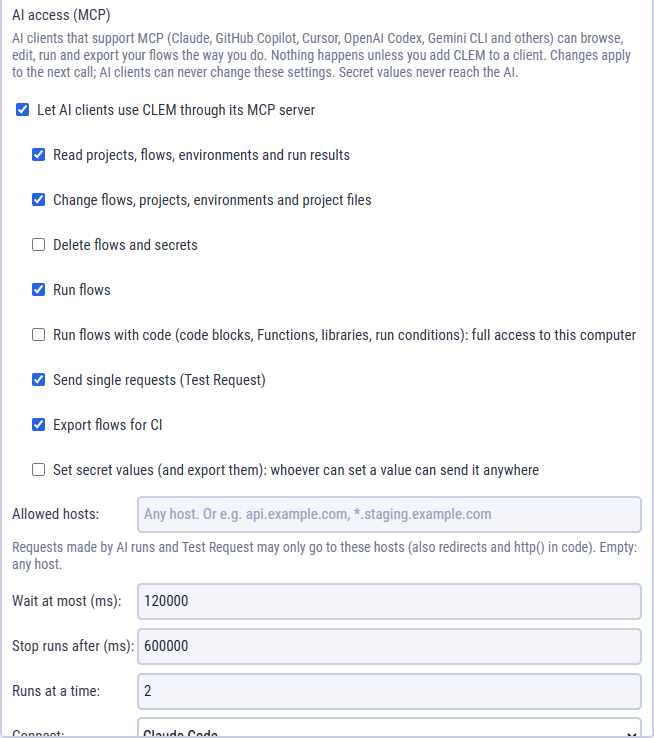
You decide, in Settings → AI access. AI clients can't change these settings.
| Switch | Default | Allows |
|---|---|---|
| Let AI clients use CLEM | on | anything at all |
| Read | on | projects, flows, environments, secrets' names, run results |
| Change | on | flows, projects, environments, project files |
| Delete flows and secrets | off | deleting |
| Run flows | on | running flows and projects |
| Run flows with code | off | runs of flows with code blocks, functions or libraries: code runs as full Node.js with your permissions |
| Send single requests | on | Test Request, GraphQL schemas |
| Export flows | on | exports |
| Set secret values | off | writing secret values |
Limits: Allowed hosts (where AI runs and requests may go, redirects and http() included; empty = anywhere), Wait at most, Stop runs after and Runs at a time.
Safety
- Secret values never reach the AI. Runs use them, results show ••••••, and credentials in flows come back masked.
- Audit log. Everything AI clients change or run is listed: View audit log in Settings → AI access.
- Your open flow is safe. When an AI client changes the flow you have open, CLEM reloads it; if you have unsaved changes it asks whether to reload, keep yours (Overwrite) or save yours under another name.
- Recent runs. AI clients with read access can read the last 50 runs, made here or by them, so you can ask about a run without copying its log. They can't stop a run you started here.